Complete Oura Ring App User Guide: Setup, Live Workout Tracking, and Feature Hacks
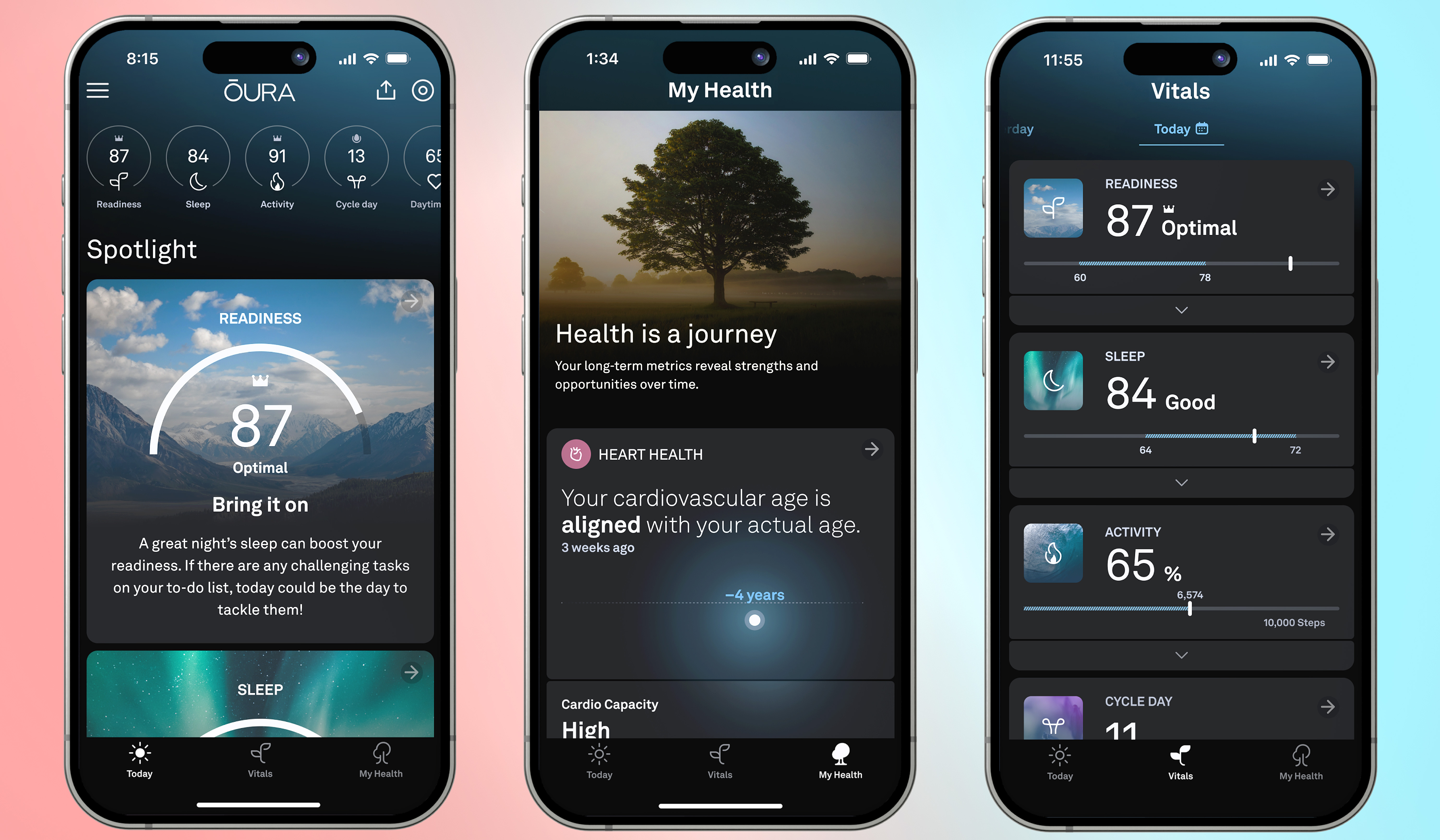
Smart rings have officially shifted from niche conversation starters to core biometric trackers. Following the release of the Oura Ring 4 and continuous software iterations throughout early 2026, the companion software has evolved from a passive overnight data dashboard into an active, all-day telemetry command center. As detailed in comparative testing by Wareable, the hardware's updated recessed sensor architecture relies heavily on precise companion software algorithms to translate subtle pulse variations into actionable lifestyle decisions.
Navigating the platform requires understanding how individual proprietary scores relate to one another. Many users purchase the ring expecting a simple sleep log, only to encounter an intricate suite of real-time exertion gauges, cardiovascular diagnostics, and metabolic markers. Getting the most out of the system means knowing how to configure your baselines, interpret sudden metric drops, and customize alerts so the software serves your daily schedule rather than overloading you with data.
📌 Quick Summary:
- Setup Precision: Proper mechanical alignment of the internal sensor bumps during the initial hardware pairing is critical for continuous daytime tracking accuracy.
- Metric Synergy: The Readiness score dynamically adjusts using overnight restorative metrics, previous exertion, and shifting baseline variations in body temperature.
- Subscription Dependency: Unlocking full predictive capabilities, long-term trend analysis, and real-time biometric readouts requires an ongoing monthly membership fee.
Hardware Alignment and Oura Ring 4 Setup
A successful software experience begins with physical placement. During the initial Oura Ring 4 setup, the iOS or Android app prompts you to pair the titanium band via low-energy Bluetooth while the ring sits on its dedicated charging dock. The ring must sit comfortably on your index, middle, or ring finger, with the flattened sensor markers facing the palm side of your hand. If the ring rotates during sleep or exercise, signal gaps appear as broken lines across your charts.
The companion app establishes your biological baseline during your first 14 days of continuous wear. During this calibration period, do not expect surgical precision from readiness alerts. The algorithm actively maps your nocturnal resting pulse, standard movement patterns, and respiratory variations. Resist the temptation to artificially alter your routine. Let the software observe your raw habits so its algorithmic baseline reflects your everyday physiology.
Battery calibration runs silently in the background. Modern rings run between five and eight days on a single charge depending on ring size and tracking features. To prevent mid-sleep dropouts, toggle on the low-battery push notifications inside the app settings. Setting the software to notify you when reserves hit 25% gives you plenty of time to set the device on the charger while showering or cooking dinner.
Decoding Sleep Staging, HRV, and the Readiness Score
Every morning, the app delivers three headline numbers: Sleep, Activity, and Readiness. While the sleep figure reflects overall duration and efficiency, the Sleep staging breakdown isolates your light, deep, and rapid eye movement (REM) phases. Oura's updated sleep algorithm cross-references pulse amplitude and movement to pinpoint these transitions. Pay close attention to deep sleep windows; consistent dips below 15% of your total sleep time often reflect late-evening meals or alcohol consumption.
Your Heart rate variability (HRV) serves as the primary autonomic nervous system indicator. Measured via root mean square of successive differences (RMSSD) throughout the night, higher nighttime HRV typically signifies recovery, while sudden drops warn of fatigue, dehydration, or illness. If your rolling seven-day HRV average drops by more than 1.5 standard deviations, expect your daily Readiness score to decline.
The Readiness score is not an arbitrary grade. It aggregates resting pulse stabilization time, body temperature deviations, previous-day physical load, and sleep balance. When your nocturnal pulse reaches its absolute low during the first half of the night, your body has completed tissue repair and nervous system recovery. If that low point arrives right before your alarm sounds, the algorithm pulls points from your Readiness total, signaling that your body spent the night processing stress rather than rebuilding energy reserves.
Logging Exertion: Live Workout Heart Rate and Motion Calibration
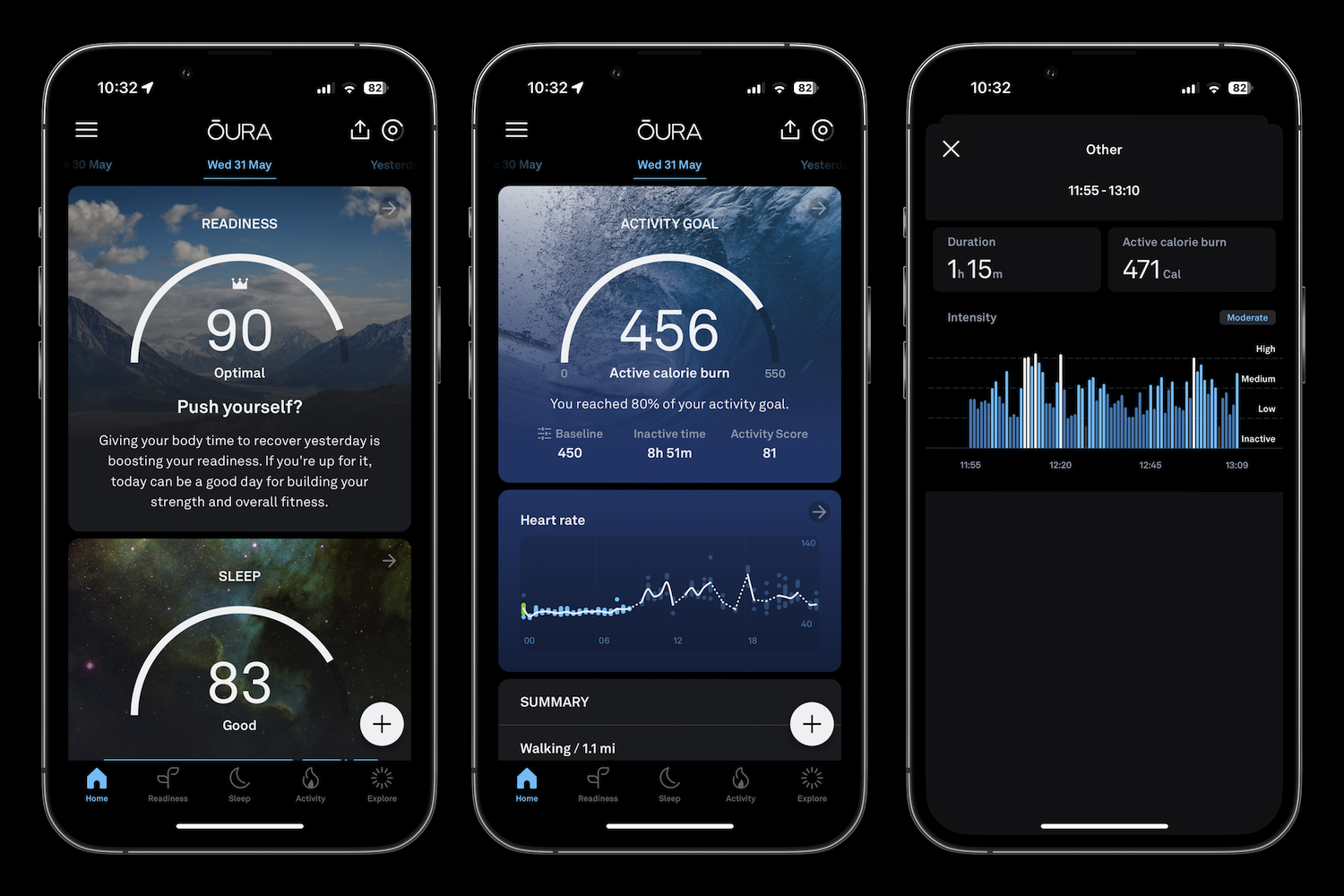
Historically, smart rings were passive recovery logs that struggled with high-speed athletic movements. The app now handles exercise directly through its Live workout heart rate interface. Launching an outdoor run, cycling session, or walking workout directly from the main screen forces the ring into a high-frequency optical sampling state. This increases battery consumption during the workout, but it generates second-by-second cardiac graphs alongside linked phone GPS maps.
For spontaneous training, the automatic activity detection system identifies repetitive biometric signatures. When you finish an unlogged lifting session, the app flags the movement block and asks you to confirm the activity type and perceived intensity. Confirming these tags trains the internal machine-learning model, refining how the software estimates caloric burn and physical strain for future workouts.
Be realistic about the mechanical limits of finger sensors. During heavy barbell training or kettlebell swings, the ring's optical sensors can lift away from the skin. For pure strength training, confirm the workout retroactively via movement detection rather than relying on live tracking. Reserve the live tracking toggle for running, rowing, and steady-state cardiovascular work where your grip remains consistent.
Daytime Stress Detection, SpO2, and Cardiovascular Age
Continuous monitoring does not stop when you wake up. The software uses optical PPG sensors to measure Daytime stress detection throughout your working hours, charting intervals into four zones: Stressed, Engaged, Relaxed, and Restored. The app contrasts minute-by-minute pulse and skin temperature fluctuations against your baseline. Spotting extended red bands during afternoon meetings helps you identify subtle environmental triggers that deplete your energy long before bedtime.
At night, continuous Blood oxygen SpO2 monitoring samples blood saturation percentages to identify breathing disturbances. Consistent saturation dips beneath 95% generate breathing irregularity alerts. This serves as an early indicator of potential sleep apnea, nasal congestion, or environmental allergens in the bedroom.
In mid-2024, the platform added Cardiovascular age estimates alongside arterial stiffness approximations. By measuring pulse wave velocity, the speed at which blood travels from your heart through the peripheral vasculature of your finger, the app tells you whether your vascular system trends older, younger, or aligned with your biological age. Sustained endurance workouts and clean nutrition gradually bend this metric downward over several months.
Health Connect, Apple Health Sync, and Nutrition Architecture
A wearable should not lock your biometric data in a silo. The Oura app features two-way data pipelines through Apple Health sync on iOS and Health Connect integration on Android. Syncing these pipelines lets you export nighttime recovery data into your wider digital ecosystem while pulling in third-party exercise files, step data, and dietary information from platforms like Strava, Peloton, or MyFitnessPal.
Hormone health operates through automated Cycle tracking. Using continuous nocturnal skin temperature deviations rather than manual calendar guessing, the software predicts menstrual phases, follicular shifts, and luteal transitions up to five days in advance. Temperature shifts as minor as 0.3°C to 0.5°C immediately reconfigure daily readiness targets, lowering exertion goals when internal strain peaks.
| Core Feature | Sensor / Hardware Source | Primary Dashboard Metric | Third-Party Sync Support |
|---|---|---|---|
| Sleep Architecture | Green/Red PPG + 3D Accelerometer | Sleep Score & Hypnogram Stages | Apple Health, Health Connect |
| Live Workout HR | High-frequency Green LEDs | Real-Time BPM & Cardio Zones | Strava, Apple Fitness |
| Autonomic Recovery | Infrared PPG Sensors | Readiness Score & Nighttime HRV | Apple Health, TrainingPeaks |
| Vascular Health | Dual Pulse Wave Velocity Sensors | Cardiovascular Age & Capacity | Internal Platform Only |
| Metabolic Timing | Manual Log + Labs Meal Camera | Circadian Meal Window Windows | MyFitnessPal, Cronometer |
Experimental tools within Oura Labs let you photograph meals to log dietary timing. Eating within two hours of sleep spikes resting heart rate and elevates your body temperature by an average of 0.4°F to 0.8°F overnight. Logging meal times lets the app visualize how late-night snacking interferes with your deep sleep architecture.
Customizing Rest Mode and Navigating the Subscription Model
When physical sickness or intense exhaustion hits, manually adjust the app by activating Rest mode. This toggles off daily activity targets and movement nudges. The dashboard shifts focus entirely to recovery, temperature deviations, and resting heart rate stability. Use this setting whenever your temperature spikes by more than 1.0°F over baseline, shielding your long-term activity streaks from penalization while you recover.
Using the platform requires factoring in the ongoing Oura membership subscription, priced at $5.99 monthly or $69.99 annually in the United States. Without an active membership, the app reduces functionality to three basic raw daily scores: overall Sleep, Activity, and Readiness. All sleep staging hypnograms, HRV trend charts, daytime stress graphs, and predictive cycle insights remain locked behind the paywall.
For users who want zero recurring costs, this ongoing expense can be frustrating. Budget the subscription as part of your overall investment. Without the subscription, the ring operates as a simple step-and-sleep counter, stripping away the software intelligence that justifies choosing a smart ring over a standard fitness band.
Frequently Asked Questions (FAQ)
Q1: Can I use the Oura Ring app without the monthly subscription?
A1: You can, but functionality is severely restricted. Without a paid subscription, the app only reveals your three basic top-level scores (Sleep, Readiness, Activity) without sleep stage hypnograms, heart rate variability trends, stress diagnostics, or cycle insights.
Q2: Why does my Readiness score remain low even after eight hours of sleep?
A2: Total sleep time is only one factor. If you ate late, consumed alcohol, or trained heavily, your resting heart rate may not have reached its lowest point until late in the sleep cycle. Elevated overnight body temperatures and suppressed heart rate variability also reduce the score regardless of time in bed.
Q3: How do I export my Oura data to Apple Health or Health Connect without duplicating workouts?
A3: Enable two-way synchronization in the app's Settings under "Data Sharing." To prevent double-counting activity calories, set your preferred third-party app (like Strava or Apple Fitness) as your primary workout tracker and allow Oura to read the workout data rather than writing duplicate workouts back to the system.
Optimizing Your Daily Telemetry
Mastering the Oura software means treating it as an advisory guide rather than an absolute rulebook. A low Readiness score is an invitation to evaluate your hydration, evening schedule, and physical load, not an excuse to abandon physical activity entirely. When you understand the connection between your lifestyle choices and the app's physiological graphs, the data stops being passive numbers on a screen and becomes a clear roadmap for long-term health.


