The Complete Guide to YouTube to WAV: Safe Methods, Audio Truths, and Free Kits
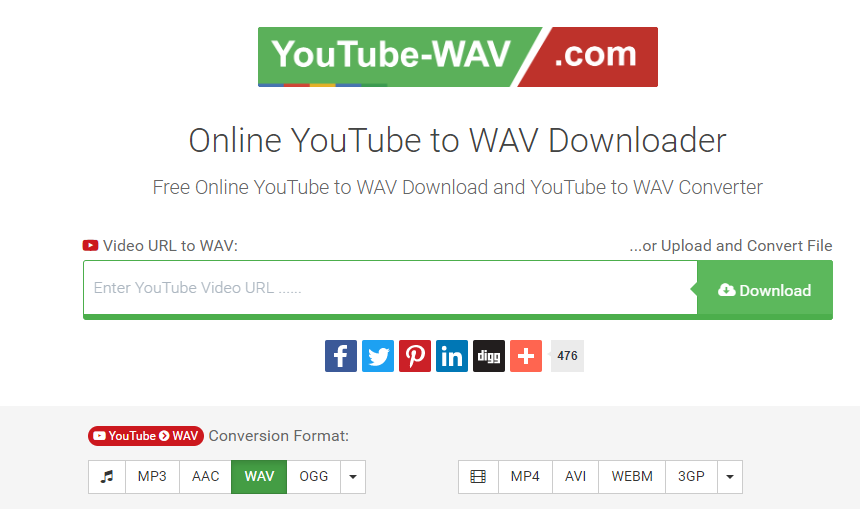
Producers, video editors, and sound archivists frequently paste video links into web converters, hoping to pull studio-grade samples directly from the internet's largest media library. Many select the WAV preset under the impression that an uncompressed wrapper will preserve pure acoustic detail. As highlighted in a recent Fossbytes Report tracking digital media extraction workflows, converting streamed video into standalone audio remains one of the most common production habits on the web.
The underlying pipeline tells a starkly different story. Ripping audio from a streaming platform never produces a genuinely uncompressed master track. Instead, the process forces an already compressed digital stream into an oversized file container, introducing digital artifacts along the way while exposing workstations to aggressive browser exploits.
📌 Key Takeaways:
- The Audio Reality: YouTube caps all incoming streams with lossy compression, meaning true lossless sound quality cannot be reverse-engineered from a link.
- Codec Mechanics: Performing an opus to wav conversion inflates file sizes tenfold without restoring missing frequency data sheared off at 16 kHz to 20 kHz.
- Workflow Safety: Web-based tools frequently bundle adware, making local utilities like yt-dlp audio extraction the standard protocol for clean, uncompromised captures.
The Delivery Pipeline: How YouTube Compresses Source Media
Every second of audio uploaded to Google's servers undergoes immediate transcode passes. Even if a mastering engineer uploads a pristine 24-bit audio format recorded at a 96 kHz sample rate, the ingestion platform recompresses that master file to minimize worldwide distribution bandwidth.
Modern streaming delivery relies primarily on Google's open-source Opus codec, typically packaged inside a WebM wrapper at roughly 128 kbps to 160 kbps. Older streams or fallback profiles rely on legacy aac compression running at approximately 128 kbps within an MP4 container. A hard bitrate limit sits across every tier of the platform. No user toggle, subscription upgrade, or converter preset bypasses this platform cap. When an external tool promises a 1411 kbps or 24-bit studio WAV file from a video link, it is simply transcode-inflating a compressed stream. The missing high-frequency air, transients, and subtle harmonics lost during ingestion are gone permanently.
The Transcoding Trap: Why an Expanded WAV Container Fails to Improve Quality
A standard Pulse Code Modulation (PCM) WAV file stores audio without compression. At a baseline sample rate 44.1kHz and 16-bit depth, raw stereo PCM demands an unyielding data transfer rate of 1,411.2 kbps. Running an opus to wav conversion tells your local processor to unpack the lossy 160 kbps file and write empty mathematical placeholders across thousands of audio frames.
Incoming Stream: Opus / AAC (~128-160 kbps)
[High-frequency cutoff: ~16kHz to 20kHz]
│
▼
Transcoding Engine (Online Ripper or Local Script)
│
▼
Output WAV File: Linear PCM (1,411 kbps / ~40MB)
[Zero Added Fidelity + Bloated File Size + Generational Noise]
Spectral frequency analysis reveals the visual proof of this limitation. High-end acoustic recordings capture harmonic content up to 22.05 kHz and beyond. A ripped YouTube stream subjected to spectral analysis in Izotope RX or Audacity exhibits a sharp brick-wall frequency cutoff around 16 kHz to 20 kHz, characteristic of psychoacoustic data reduction. Expanding that file into uncompressed audio quadruples disk usage from 4 MB to over 40 MB, but the sound quality remains identical to the 160 kbps lossy original. For producers running heavy digital signal processing, pitching or time-stretching this upscaled audio pulls audible compression swish into the foreground.
Comparing Extraction Architectures: Tools, Efficiency, and Vulnerabilities
Extracting web audio ranges from command-line utilities to browser extensions. The chart below breaks down how each tool handles raw platform streams, processing overhead, and workstation security.
| Extraction Method | Codec Handling | Effective Output Quality | Operational Risk Level |
|---|---|---|---|
| Command-Line (yt-dlp) | Direct stream copy or local FFmpeg | Original 160 kbps Opus / 128 kbps AAC | Negligible (Open-source, self-hosted) |
| Online Converter Portals | Server-side lossy-to-PCM conversion | Bloated WAV container (No added fidelity) | Critical (Adware, malicious redirects) |
| Desktop Audio Ripper | Internal demuxer or virtual cable | Equal to native browser stream playback | Moderate (Freemium bundle risks) |
| Browser Extension Downloader | Direct media stream sniffing | Capped by manifest stream limits | High (Browser store policy violations) |
Precision Workflows: Command-Line Extraction Without Generational Loss
Audio professionals who need temporary speech references, Foley cues, or dialogue stems avoid secondary conversion artifacts by using the open-source terminal engine `yt-dlp`. Rather than transcoding the audio stream into a fake WAV file, developers extract the raw bitstream precisely as stored on Google's content delivery networks.
A single terminal command extracts the best native audio track without introducing an unnecessary conversion step:
bash
yt-dlp -f ba -x --audio-format opus "<VIDEO_URL>"
By requesting the raw format, users pull the native Opus stream without recalculating the waveform. When an editing suite requires an uncompressed container for timeline playback, running a single local FFmpeg batch command provides clean conversion without server-side tampering:
bash
yt-dlp -f ba -x --audio-format wav --audio-quality 0 "<VIDEO_URL>"
This local execution bypasses cloud queues, enforces strict control over output bits, and enables batch audio extraction across entire research archives without hitting third-party paywalls.
Security Pitfalls: Avoiding Malvertising and Insecure Converters
Finding a truly safe online converter via a search engine query has become an exercise in digital risk management. Running cloud conversion servers incurs massive bandwidth bills. To monetize traffic, low-tier web rippers rely on rogue advertising networks.
Common traps include deceptive full-screen overlays designed to mimic system dialogs, push notification subscription triggers that deliver browser-level spam, and drive-by installers masking unwanted software as media updates. A rogue browser extension downloader risks being sold to data-harvesting brokers, turning a simple media scraper into a covert tracking tool.
Engineering teams operating inside production houses block these conversion domains at the DNS level. When local shell extraction is not an option, reputable software utilities with transparent codebases remain the only defensible alternative for internal network safety.
High-Fidelity Alternatives: Where to Source Genuine Master Samples
Sampling degraded streams undermines high-end mix engineering. Low-bitrate compression artifacts smear drum transients, introduce phase cancellation during stereo summing, and sound thin when run through distortion or limiting plugins. Producers seeking clean sonic foundations should look to repositories that provide uncompressed source audio.
Direct artist platforms like Bandcamp allow purchasers to download production-ready 24-bit audio format FLAC and WAV archives directly from source files. Creative Commons repositories, including the Free Music Archive and the Internet Archive, provide verified historical recordings with zero digital watermarking. Commercial sample hubs like Splice or Loopcloud, along with open platforms like Freesound.org, deliver pristine sample rate 44.1kHz or 48 kHz recordings built specifically to withstand aggressive production processing.
Frequently Asked Questions (FAQ)
Q1: Does converting a YouTube clip to WAV improve its audio quality?
No. Transcoding an Opus or AAC stream to WAV merely wraps a lossy recording inside a larger file container. The frequency data discarded during YouTube's initial compression pass cannot be recovered.
Q2: Why do web converters offer 320 kbps MP3 or 24-bit WAV options?
These presets are marketing maneuvers. Online tools can resample the audio to a higher bitrate or bit depth, but the output still mirrors the audio profile of the 160 kbps source stream.
Q3: What is the safest way to extract audio without getting malware?
Use audited, open-source command-line tools like `yt-dlp` backed by local FFmpeg libraries. This eliminates external browser redirects, aggressive tracking scripts, and unwanted software downloads.
Audio Standards for Modern Production Workflows
Audio engineers and content creators must recognize streaming platforms for what they are: hyper-optimized consumer delivery systems, not master-audio repositories. Pulling dialogue for an offline cut or analyzing an arrangement through an extracted rip serves a practical editorial purpose, but expecting high-fidelity master output from a web transcode runs counter to digital signal processing basics. Understanding how digital compression works preserves production quality, saves local storage, and keeps digital audio workstations safe from insecure software.


