TikTok Business Center vs. Ads Manager Login: Fact-Checking Common Access Mistakes
Media buyers, agency operators, and e-commerce founders are repeatedly crashing into the same wall when accessing ByteDance's commercial ecosystem: dashboard confusion. Entering credentials into the TikTok for Business login portal often leaves users stranded in an empty workspace, locked out of active client campaigns, or greeted with persistent permission alerts. According to an extensive Shopify Report tracking merchant multi-channel strategies, seamless catalog distribution and pixel tracking hinge entirely on clean account hierarchies, yet access permission errors remain one of the most frequent friction points during quarterly ad rollouts.
The breakdown stems from a fundamental misunderstanding of the platform's dual-tier architecture. TikTok separates enterprise asset management from tactical execution. When a team member attempts to log directly into TikTok Ads Manager without the proper business umbrella linking their profile, the system halts operations. Understanding this distinction clarifies dashboard routing, protects ad spend, and eliminates the dreaded permission lockout.
📌 Key Takeaways:
- The Core Architecture: TikTok Business Center functions as the enterprise ownership vault, while TikTok Ads Manager serves as the execution-only cockpit.
- The Lockout Trigger: Logging in with personal TikTok handles rather than dedicated business emails causes 80% of missing-asset errors.
- The Remediation Protocol: Standardizing two-factor authentication and structuring ad account admin roles eliminates recurring invitation loop failures.
The Structural Split Behind the TikTok for Business Login Portal
TikTok's enterprise infrastructure mirrors the parent-child framework pioneered by older social ad networks. The TikTok for Business login portal acts as the single sign-on gateway, but directing users to the correct environment requires understanding two distinct backends.
TikTok Business Center is the central management organization. It houses your corporate payment methods, employee directories, verified business identity documents, and high-level tracking assets. It does not run ad variations or set bid targets. Instead, it owns the digital property rights to those activities.
TikTok Ads Manager, by contrast, operates downstream. It is the campaign dashboard access layer where media buyers build ad groups, set target demographics, calibrate bidding strategies, and review ROAS reporting. When advertisers complain that their campaigns "vanished overnight," they have rarely lost their data. In nearly all instances, they logged directly into a standalone ad account instead of opening the specific ad account hosted within their Business Center organization.
Authentication Traps That Trigger Account Lockouts
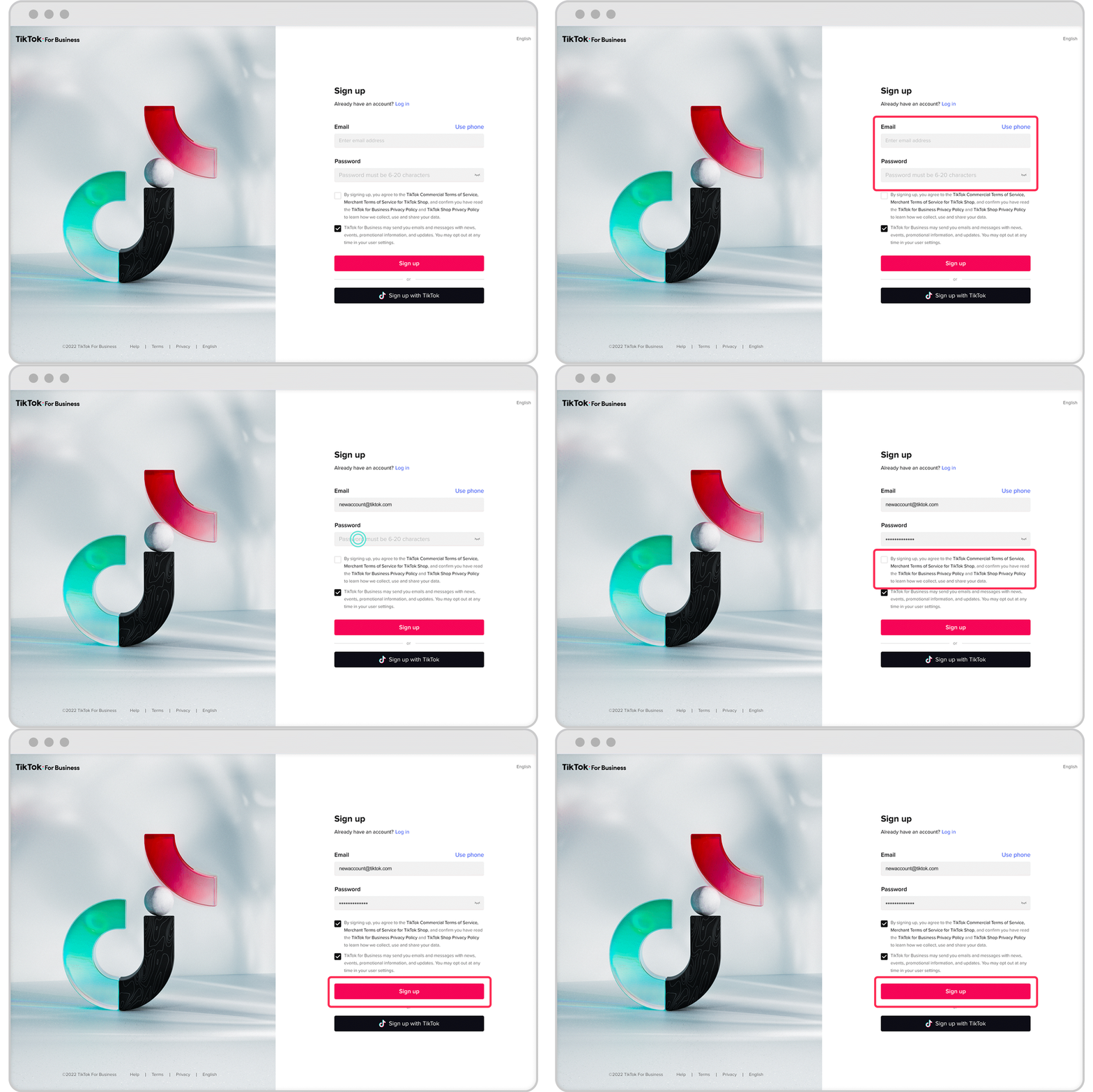
Authentication failures rarely stem from forgotten passwords. They occur when users mix consumer credentials with enterprise access protocols. TikTok allows accounts to be created via phone numbers, personal social handles, Apple IDs, or Google workspace accounts.
When a marketing director invites an agency specialist using a corporate email address (for instance, `specialist@agency.com`), but the specialist clicks the invite and logs in using their personal phone number or an unlinked Google profile, TikTok spawns an entirely new, blank user shell. The invitation never binds to the active account. The specialist sees zero ad accounts, while the marketing director sees the invitation marked as "Pending" or "Orphaned."
Strict security policies compound this issue. When enterprise security teams enforce two-factor authentication (2FA) via third-party authenticator apps, intermittent browser cache conflicts can trap users in infinite SMS verification loops. Clearing partition cookies or authenticating via a dedicated incognito session resolves the credential handshake without resetting the entire company profile.
Business Center vs. Ads Manager: Architectural Comparison
Navigating permissions requires mapping user credentials to the right layer of the operational hierarchy. The following framework outlines where core administrative and tactical duties reside.
| Operational Feature | TikTok Business Center | TikTok Ads Manager |
|---|---|---|
| Primary Purpose | Asset ownership, agency routing, user provisioning | Ad creation, audience bidding, performance analytics |
| Access Level Control | Admin, Standard Member, Finance Manager | Ad Account Admin, Operator, Analyst |
| Billing & Credit Lines | Centrally manages shared credit lines and invoices | Manages individual account top-ups or draws from BC |
| Tracking Infrastructure | Owns and shares the TikTok Pixel and Events API | Applies assigned Pixels to active campaigns |
| Third-Party Collaboration | Agency partner access via Business Center ID | Direct user invites (creates security vulnerabilities) |
E-Commerce Integrations and Tracking Asset Governance
Connecting storefronts creates additional authentication hurdles. The Shopify TikTok integration provides a fast track to deploying conversion pixels, syncing product catalogs, and automating event tracking, but it demands precise administrative staging.
The setup fails when the merchant attempts to complete integration using low-tier permissions. To bridge a digital store successfully, the operating account must simultaneously hold Admin rights inside the TikTok Business Center and an Ad Account Admin role within the child Ads Manager account. If the account initiating the integration is merely an Operator, the catalog sync stalls, rendering TikTok Pixel setup incomplete.
[Shopify Store Admin]
│
▼
[TikTok Business Center] ──(Admin Role Required)
│
├─► [Shared TikTok Pixel / Events API]
├─► [Shared Product Catalog]
└─► [TikTok Ads Manager Account] ──(Ad Account Admin Role Required)
Direct pixel creation inside an isolated Ads Manager account creates long-term vulnerabilities. If an individual media buyer creates a pixel at the ad account tier and later leaves the organization, transferring ownership becomes an arduous support ticket saga. Establishing the pixel directly at the Business Center level and sharing downstream ensures corporate data retention remains intact regardless of staffing turnover.
Managing Agency Partner Access Without Sharing Credentials
Sharing master passwords or operational login details across external vendor boundaries invites disaster. It breaches internal compliance standards, invalidates enterprise cyber insurance policies, and leaves corporate credit cards exposed to unauthorized budget adjustments.
The proper protocol relies entirely on Business Center Partner relationships:
- The hiring brand creates and verifies its TikTok Business Center account.
- The contracting agency provides its unique, nine-digit Business Center Partner ID.
- The brand navigates to Partners > Add Partner, inputs the agency ID, and selects the exact operational scope.
- The brand allocates specific assets, assigning tactical permissions for the designated Ads Manager account and associated Pixels, without relinquishing financial ownership.
This relationship shields corporate payment methods. The agency deploys campaigns using the client's allocated budgets or their own consolidated credit lines, while internal account managers retain immediate revocation authority with a single click.
Systematic Login Error Troubleshooting
When access fails, random clicking often locks security protocols tighter. Follow this diagnostic sequence to resolve access disputes systematically.
First, identify the exact sign-in URL. Bypassing bookmark errors starts by navigating directly to `business.tiktok.com`. If you enter via `ads.tiktok.com`, you skip the structural directory and default to the last individual ad account connected to your browser cookies.
Second, audit permission inheritance. If an employee logs in but cannot edit live ads, check the assignment within Business Center. Simply adding a team member to an organization does not automatically grant ad account access. The Business Center Admin must physically select the user's name, navigate to Assigned Assets > Ad Accounts, and check the Operator or Admin toggle.
Third, verify legal compliance and documentation status. Sudden platform-wide rejections often stem from incomplete business verification. TikTok routinely audits corporate entities operating within regulated industries. If verification documents expire or business registration numbers mismatch credit card billing addresses, access portals restrict campaign creation capabilities until fresh corporate documentation is reviewed and approved.
Frequently Asked Questions (FAQ)
Q1: Why does my TikTok Ads Manager show zero ad accounts after logging in?
A1: You most likely logged in with an unlinked personal credential or a direct phone number rather than the specific corporate email address where the Business Center invitation was sent. Log out, verify the exact email address listed on your employee invite, and log back in through the TikTok for Business portal using that exact address.
Q2: Can I transfer an independently created ad account into my TikTok Business Center?
A2: Yes. An organization Admin can claim an existing ad account by navigating to Business Center, selecting **Assets > Ad Accounts > Add Ad Account**, and submitting the 19-digit Ad Account ID. The current owner of that ad account must then accept the transfer request via their notification dashboard.
Q3: How do I recover an account stuck in a two-factor authentication verification loop?
A3: Launch a fresh browser session in Incognito mode to strip cached session tokens. If SMS verification codes fail to arrive, ensure your account phone number matches international dialing formats (+1 for US). For persistent failures, an organization Business Center Admin can temporarily toggle individual member 2FA requirements off within the member management panel to allow credential resets.
Navigating Enterprise Access Cleanly in 2026
Maintaining clean organizational boundaries across ByteDance's commercial ecosystem requires intentional administrative habits. Treating Ads Manager as an execution environment and Business Center as an enterprise anchor shields digital operations from sudden lockouts, preserves tracking continuity, and keeps external agencies working productively within assigned boundaries. Audit user directories quarterly, retire unused third-party permissions, and ensure all tracking pixels remain tied to institutional business accounts.


