Browser History vs. Google Account Data: The Truth About What Really Gets Erased
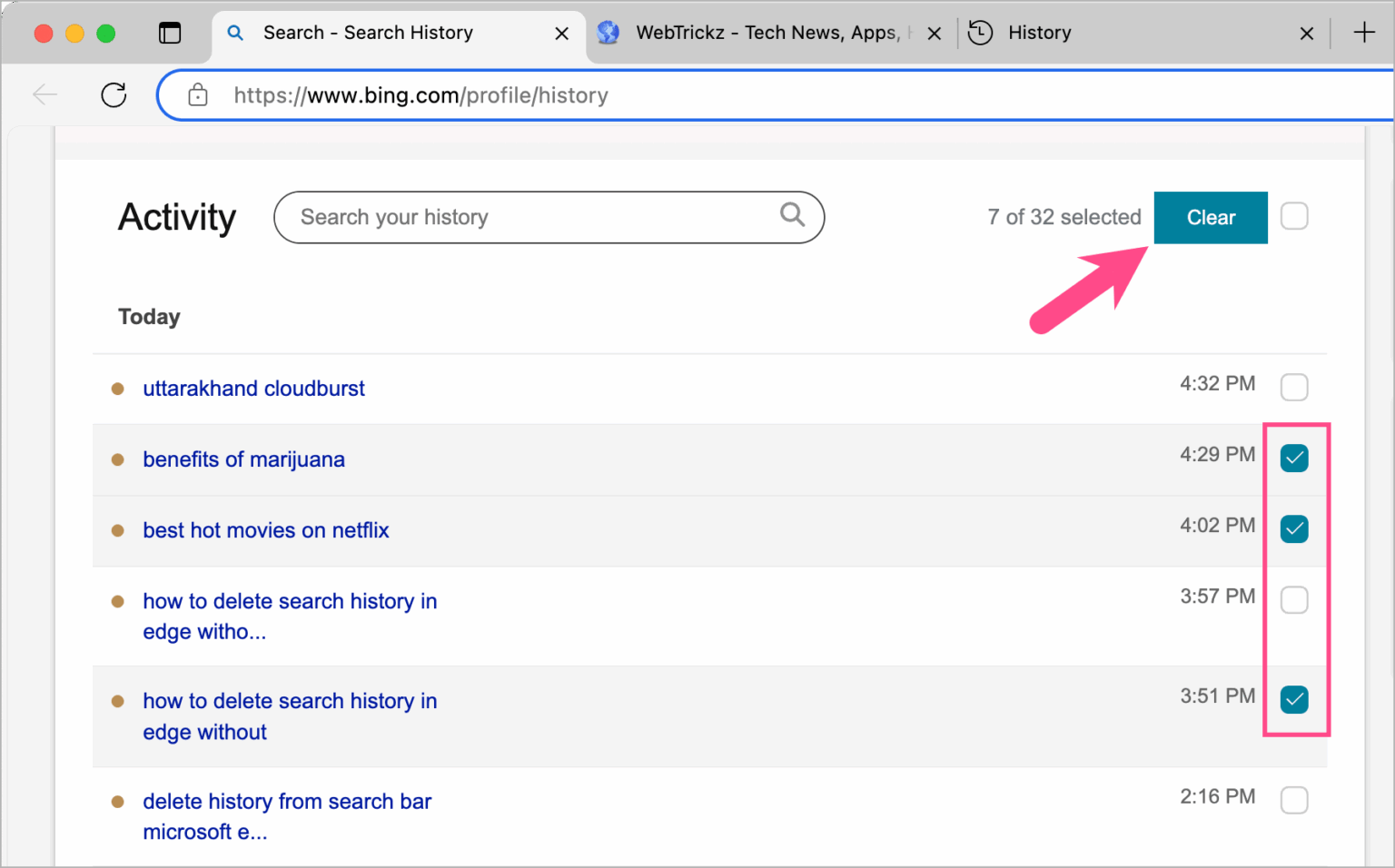
Every day, millions of users open their browser settings, click "Clear Browsing Data," and assume their past inquiries have vanished from the face of the internet. That assumption is fundamentally wrong. Wiping local records on Chrome, Safari, or Edge deletes the index stored on your laptop or phone, but it leaves your central digital dossier untouched on remote server clusters. As detailed in a comprehensive guide from the Cloudwards Report, purging device caches barely scratches the surface of modern data collection architectures.
The gap between what users think they delete and what tech platforms actually retain has sparked intense debate among privacy advocates and regulators. When you submit an inquiry while signed into an ecosystem account, that data bypasses simple local memory. It routes directly into account-level activity logs, where machine learning systems and profile aggregators store query context, geographic coordinates, and device telemetry. Understanding how to permanently purge deep cloud activity logs requires recognizing where data actually lives.
📌 Key Takeaways:
- The Device Myth: Clearing browser history on Chrome, Safari, or Firefox only erases locally stored URLs, leaving server-side logs untouched.
- The Cloud Reality: Google My Activity maintains granular records of your queries, app engagements, voice prompts, and locations until manually expunged or configured to auto-delete.
- The Complete Fix: Permanent search data removal requires a dual-stage process: clearing browser cache and cookies locally, followed by toggling Web & App Activity settings in your core cloud account.
The Critical Gulf Between Local Browsers and Account Servers
The core misunderstanding stems from the architecture of modern web browsers. When you execute a standard Safari history wipe or choose to delete search history Chrome records from your desktop client, you are modifying an internal SQLite database stored on your physical SSD. This action discards page titles, visited URLs, site icons, and stored session cookies. The interface looks spotless. Your address bar stops suggesting previously visited sites.
Your Google profile tells a different story. If you signed into Gmail, YouTube, or Docs while browsing, the search query transmitted an authenticated packet to Alphabet's data centers. The transaction registered inside Google My Activity before the search engine returned your results. Clearing your local desktop history leaves that central database intact. The engine continues using that search context to tune your recommendations, personalize auction bids for advertisers, and train algorithmic retrieval models.
Private browsing modes present a parallel illusion. Many users assume incognito browsing records offer total anonymity. In reality, private windows only promise that the local client will discard cookies and cached data the moment you close the tab. Network administrators, internet service providers, and visited websites identify your hardware fingerprint regardless of whether you opened a private tab.
Deconstructing What Platforms Retain Across Storage Tiers
To purge your records effectively, you must evaluate where each fragment of your digital footprint settles. The retention ecosystem spans three distinct operational layers: client hardware, authentication servers, and network-level gateways.
| Data Layer | What It Captures | Standard Erasure Method | True Retention Status |
|---|---|---|---|
| Local Browser Storage | URL lists, site cache, image buffers, session cookies | Browser "Clear Data" menu | Deleted locally from the physical drive within seconds. |
| Google Account Cloud | Search inputs, YouTube views, assistant voice files, app usage | Google My Activity portal | Persists indefinitely until manual purge or auto-delete triggers. |
| Location History System | GPS tracks, Wi-Fi tri-angulation, cell tower handshakes | Google Maps Timeline controls | Requires targeted location history deletion inside map settings. |
| Network & ISP Tier | DNS queries, connection timestamps, unencrypted metadata | Cannot be cleared directly by the consumer | Retained under mandatory telecommunication rules for 6, 24 months. |
The contrast between these tiers explains why wiping local browser history does not stop targeted ads from referencing searches you made two days prior. Third-party trackers tie queries to account sessions and hardware hashes, bypassing standard browser cleanup scripts.
Executing a Complete Cloud Purge in Google My Activity
Permanent search data removal demands an audit of your account dashboard. Navigating to the centralized portal at myactivity.google.com exposes the complete inventory of your interactions across search engines, mobile devices, and connected home hardware.
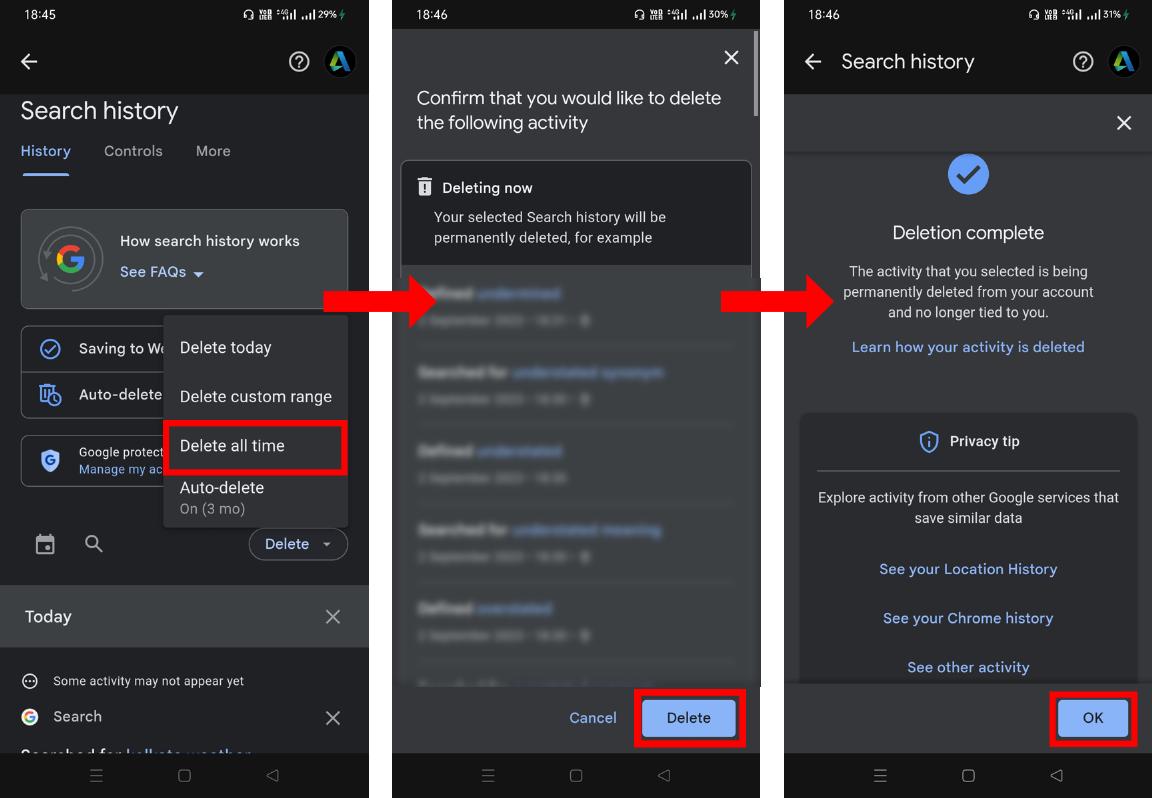
To eliminate this repository, select the "Delete" drop-down menu situated beside your central search filter. Opting for "All Time" prompts the platform to list connected products, including Search, Image Search, Maps, Google Play, and News. Checking every service box and confirming the command initiates a server-level wipe of those historical logs. The deletion sequence targets your production indexing databases, detaching individual query records from your consumer identity.
Relying on manual scrubbing is inefficient for routine maintenance. Tech platforms offer auto-delete controls that run on programmatic schedules. Users can restrict account-level activity logs to automatically clear entries older than 3 months, 18 months, or 36 months. Setting this parameter ensures server storage regularly scrubs obsolete inputs without requiring manual intervention.
Dismantling Web & App Activity and Location Tracking
Expunging historical entries stops past searches from following you, but incoming transactions will immediately refill the database unless you adjust primary capture toggles. The primary collection engine operates under your Web & App Activity settings.
Pausing this feature cuts off the automated transmission of browsing contexts, installed app events, and audio interactions. Once disabled, searching through standard Google fields no longer appends text entries to your persistent identity ledger. The platform issues warnings that voice dictation accuracy and predictive map routing may see slight degradation, but fundamental search utilities continue running normally.
A second critical tracking component involves geographic telemetry. Even with general history disabled, devices logging into mapping tools preserve coordinate breadcrumbs. Executing thorough location history deletion requires visiting your Maps Timeline configurations. Purging past routes and setting location tracking to a permanent "Off" state isolates your searches from geographic profiling.
Clearing Local Browser Caches Across Desktop and Mobile
After neutralizing cloud records, clean the physical device to eliminate residual traces. Cached website frameworks, tracking pixels, and session tokens remain tucked inside system directories, ready to reconnect the moment you revisit an address.
On Chrome, access your local settings via Ctrl + Shift + Delete on Windows or Cmd + Shift + Delete on macOS. Set the time range parameter to "All Time." Ensure both "Cookies and other site data" alongside "Cached images and files" are marked before running the sweep. This step unlinks active session IDs, logging you out of consumer portals and expelling third-party trackers planted during recent web sessions.
Safari requires a similar sequence. On an iPhone or iPad, navigating through iOS Settings to the Safari submenu reveals the "Clear History and Website Data" command. On macOS, opening Safari and selecting "Clear History" from the top drop-down menu presents a dialog box to remove items across all connected iCloud devices. Completing this local purge strips offline index records from internal storage drives.
Hardening Daily Browsing Against Persistent Tracking
Total data privacy requires more than reactive maintenance. Once your cloud logs are erased and device caches cleared, establishing robust baseline habits prevents background scripts from reconstructing your behavioral profile.
Default to privacy-focused search engines that operate zero-log infrastructures for routine web navigation. Search engines that refuse to log IP addresses or build user profiles ensure your query stream remains transactional rather than cumulative. If you must use commercial search ecosystems, browse in disconnected containers or unauthenticated windows to isolate real-time searches from your primary account.
Adopt encrypted DNS resolvers and system-level tracker interceptors. Even when websites cannot write cookies to your drive, your local router and broadband provider log domain inquiries over unencrypted DNS channels. Running Encrypted DNS (DoH or DoT) wraps domain name requests in protective cryptographic tunnels, closing the final pipeline through which external observers monitor search behaviors.
Frequently Asked Questions (FAQ)
Q1: Does using Incognito mode stop Google from logging my searches?
A1: No, not if you log into a Google account while using the private window. Incognito simply discards local cookies, cache, and history on your device once the window closes. If you sign into any ecosystem service inside that window, your searches register directly to your cloud account.
Q2: How long does Google take to fully delete purged data from its servers?
A2: When you trigger a deletion through Google My Activity, the data is removed immediately from visible user interfaces and severed from personalization algorithms. Complete erasure from long-term backup and cold-storage disaster recovery systems follows an automated lifecycle that typically concludes within 180 days.
Q3: Will clearing my search history delete my downloaded files or bookmarks?
A3: No. Clearing browser history, cached files, and cookies leaves your downloaded documents, saved offline PDFs, and custom bookmark libraries intact. It only removes visited site logs, saved web sessions, and temporary page assets.
A Permanent Standard for Managing Digital Traces
Managing your digital footprint requires viewing data erasure as a dual-track process. Local browser clearing is an essential privacy hygiene habit, but it addresses only the endpoints sitting directly in front of you. True control over your search data requires managing the remote databases where consumer profiles are aggregated, analyzed, and monetized.
Taking ownership of your footprint involves turning off unnecessary data ingestion switches, setting automated expiration dates on account activities, and keeping device-level tracking strictly confined. Reclaiming control over your search records is not a matter of a single click; it is the deliberate application of structural privacy boundaries across your hardware and cloud platforms.


