The Tech Flaw: Why School Firewalls Cannot Easily Block 'Google Classroom' Game Hubs
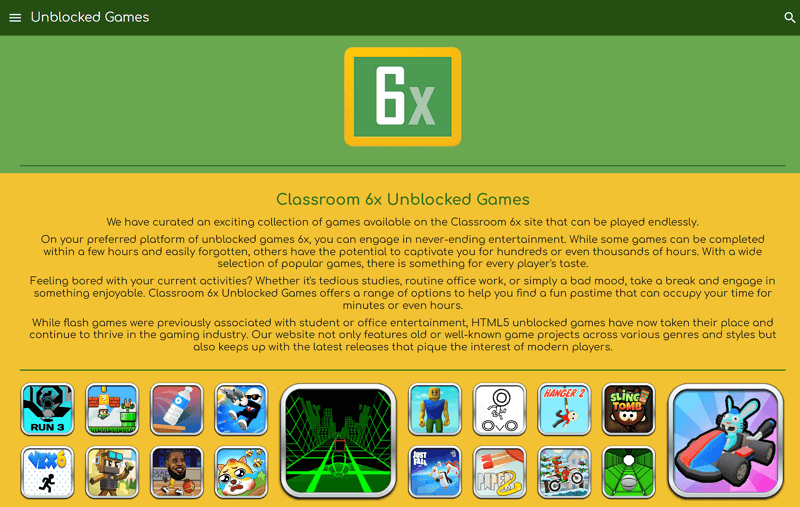
Across thousands of school districts, network administrators are fighting a losing battle against their own whitelists. Content filters like Securly, GoGuardian, and Lightspeed actively inspect student traffic, yet seventh-period middle schoolers routinely play multiplayer arena titles and retro simulations right on their district-managed Chromebooks. The vector is rarely a rogue VPN or an unvetted proxy site. Instead, students run these programs directly through Google Classroom, Google Drive, and Google Sites. As detailed in a recent nftevening.com Report tracking the surge of two-player classroom games and peer-to-peer browser hubs, students have turned the collaborative architecture of Google Workspace for Education into an undetectable distribution network.
Network content filtering relies on clear distinctions between educational utility and recreational noise. When both exist on the exact same cloud infrastructure, that distinction collapses.
📌 Key Takeaways:
- The Core Flaw: Network filters cannot outright block Google subdomains without breaking core daily assignments, grading tools, and classroom communication.
- The Mechanism: Students host lightweight HTML5 browser games inside Google Sites, Google Drive previews, and embedded iframes that pull remote code through encrypted HTTPS tunnels.
- The Blind Spot: Cloud-based proxies and base64-encoded web assets execute locally in the Chrome browser, bypassing Deep Packet Inspection (DPI) without triggering enterprise security alerts.
The Domain Whitelisting Dilemma Inside Google Workspace
School network firewalls operate on rigid trust hierarchies. To keep digital classrooms functional, system administrators grant unconditional domain whitelisting to core educational infrastructure: `classroom.google.com`, `drive.google.com`, `docs.google.com`, and `sites.google.com`.
Blocking any of these endpoints breaks lesson plans immediately. If an IT team attempts to restrict `sites.google.com` to suppress student-built gaming hubs, teachers lose access to internal department portals and curriculum guides. Restricting Google Drive previews halts document turn-ins.
Students recognized this administrative dependency years ago. Instead of searching for vulnerable external domains that commercial filters catalog and ban within 24 hours, creators host HTML5 browser games directly inside Google Workspace for Education. Because the outgoing network request resolves to verified Google IP ranges with a valid wildcard SSL certificate, enterprise appliances like Fortinet and Palo Alto Networks wave the traffic through. The firewall sees only standard encrypted TLS traffic destined for an approved educational host.
How Embedded Iframe Exploits Turn Google Sites into Game Hubs
The underlying technology driving these hubs is the standard HTML `<iframe>` element paired with client-side script execution. Students launch free sites on Google Sites and embed raw JavaScript game engines, Canvas elements, or external CDN mirrors.
html
<!-- Simplified structural layout of an embedded classroom game runner -->
<iframe
src="https://cdn.jsdelivr.net/gh/[repository]/game-payload/index.html"
style="border:0; width:100%; height:100%;"
allow="gamepad; autoplay; fullscreen">
While commercial web filters maintain blacklists of traditional gaming directories like Coolmath Games or primary hubs like Unblocked Games 76, students frequently swap the back-end host of their iframes to code repositories hosted on GitHub Pages, Replit, or Vercel.
More advanced iterations avoid remote asset calls entirely. Creators convert complete game packages, graphics, audio, and logic engines, into single-file HTML documents using base64 encoding. A student uploads this self-contained package to Google Drive, sets file permissions to public, and displays it via the native Drive preview player. The browser decodes the data URI client-side. The network filter records a standard 2-megabyte file download from Google Drive, completely unaware that the payload executing in memory is a recreation of retro platformers or web-based physics engines.
Comparing School Defense Layers Against Cloud Evasion Techniques
Filtering mechanisms vary widely in how they evaluate outbound web traffic. The table below illustrates where traditional security layers fail against Google Workspace workarounds.
| Filtering Mechanism | Primary Detection Vector | Circumvention Method | Admin Overhead |
|---|---|---|---|
| DNS Filtering (Pi-hole, Cisco Umbrella) | Domain name lookups before connection | Zero effect; games reside on whitelisted Google domains | Low overhead; high failure rate against subdomains |
| Deep Packet Inspection (DPI) | Payload contents and SNI headers | End-to-end TLS encryption masks internal URL paths and assets | Requires invasive root SSL certificates on every endpoint |
| Chrome Agent Extensions (GoGuardian, Securly) | Browser DOM, full URL string, tab title inspection | URL cloaking, tab-renaming scripts, base64 blobs, about:blank wrappers | Continuous rule maintenance and regex patching |
| Bandwidth & Port Throttling | Unusual traffic spikes or non-standard ports | Traffic flows over port 443 with negligible data footprints | Cannot throttle standard HTTPS without slowing school operations |
WebSockets, Cloud Proxies, and Disguised Two-Player Games
The technical challenge expands when students transition from solo offline engines to interactive two-player classroom games. Real-time multiplayer games traditionally required dedicated gaming servers that school firewalls blocked based on known port signatures or blacklisted hosting providers.
Modern web architectures bypass those barriers through WebSocket connections running over default TLS port 443. Once an initial HTTPS connection clears the firewall, the browser upgrades the connection to a full-duplex WebSocket stream. The network appliance sees only an ongoing data stream flowing to an encrypted cloud provider, often Amazon Web Services, Cloudflare Workers, or Google Cloud Run.
+------------------+ HTTPS GET Request +-----------------------+
+------------------+ +-----------------------+
| 1. Whitelist Approved (TLS Handshake Verified) |
|<----------------------------------------------------------+
|
| 2. Payload Delivers Base64 HTML5 Engine
| & Initiates WebSocket Handshake over Port 443
|
v
+------------------+ Encrypted Full-Duplex +-----------------------+
+------------------+ +-----------------------+
Students also chain these tools with lightweight web proxies such as Ultraviolet and TompHTTP. These proxy networks intercept browser requests at the service-worker level. When a student enters an external URL inside an embedded proxy page, the script rewrites the resource requests, encodes the URL strings in base64, and fetches the assets through decentralized edge workers.
Filter extensions running on Chromebooks inspect the URL bar, but see only the path of the hosted educational document. By the time the proxy fetches external assets, the request looks indistinguishable from API calls that legitimate educational web apps make every minute.
Why Chromebook Policy Restrictions Struggle Against Client-Side JavaScript
School IT managers possess extensive control over ChromeOS devices via the Google Admin Console. They can force-install extensions, disable Developer Tools, block access to local storage flags, and forbid guest accounts. Despite these policies, student exploits exploit how the web browser engine fundamentally works.
Client-side JavaScript executing in a sandbox retains broad computing freedom:
- The `about:blank` Injection: Scripts spawn an unmonitored popup window pointing to `about:blank`, inject the game engine directly into the document object model (DOM), and spoof the window title to read "Google Docs" or "Biology Assignment." Because the URL is literally `about:blank`, page-URL matching rules never register a violation.
- Instead of loading recognizable image files (`.png`, `.jpg`) that local content monitors could scan for game assets, games render sprites dynamically via Canvas 2D or WebGL contexts. The filter cannot tell whether drawn shapes form an interactive physics puzzle or a geometry diagram.
- Games run entirely in device RAM. They persist state data through tiny snippets stored in standard browser `localStorage` or `IndexedDB`, leaving no executable binaries or downloaded setup files on the Chromebook’s local storage.
The browser executes code precisely as designed. For a filter to distinguish an educational coding exercise written in an online playground from a custom browser game built with the same scripting language, it must perform full semantic inspection of client-side code in real time, a compute-heavy requirement that causes massive battery drain and input lag on budget school laptops.
Frequently Asked Questions (FAQ)
Q1: Why can't IT administrators simply block entire Google Sites subdomains?
A1: Many school systems host essential learning materials, district staff portals, and teacher-maintained class pages on Google Sites. Blocking `sites.google.com` breaks legitimate curriculum resources district-wide. Filtering must happen granularly, which URL-level path analysis often fails to manage against newly spun-up pages.
Q2: Do these browser-based games expose school networks to malware?
A2: Direct malware infections are relatively rare because the games run within the sandboxed Chrome browser environment without root access. However, secondary risks are high: student-facing game hubs frequently embed unvetted third-party ad trackers, unmoderated chat rooms, phishing scripts, and aggressive pop-under networks that exploit school accounts.
Q3: How do modern content filtering tools attempt to close these iframe gaps?
A3: Next-generation endpoint monitoring tools are shifting away from static URL blacklists. Modern agents capture periodic screenshots of the active browser window, run optical character recognition (OCR) and computer vision models locally, and analyze user input frequency. If an open tab matches interactive game layouts or high-frequency keystroke patterns, the agent terminates the tab regardless of whether the URL is an approved Google property.
Rethinking School Network Defenses for 2026
The ongoing game of cat-and-mouse between students and network administrators reveals a fundamental weakness in boundary-based security models. Relying purely on static domain whitelisting, IP blocks, or DNS filters assumes that safe infrastructure produces only safe content. In an ecosystem built around interactive, collaborative cloud suites, that assumption no longer holds.
Districts successfully stemming this tide are abandoning simple URL blocklists. They deploy behavioral analytics at the device level, enforce zero-trust identity policies within Google Workspace, and isolate Google Sites authoring behind strict organizational units. As long as schools depend on open web protocols and flexible collaborative software, students will find creative ways to repurpose those tools. Closing these gaps requires understanding that the vulnerability is not a technical oversight in a firewall, it is a byproduct of the modern, open web itself.


