The Viral 'Moo Virus' Sweeping TikTok and YouTube: Origins and Immediate Fix
Offices, lecture halls, and quiet subway cars across the globe are facing an identical, chaotic disruption: iPhones spontaneously letting out visceral, high-volume barnyard moos at random hours. Dubbed the "Moo Virus" across TikTok and YouTube, the trend has bewildered millions of users who assume their operating systems have been breached by sophisticated malware. In reality, the phenomenon sits at the intersection of a clever local iOS automation prank and a runaway algorithmic fixation rooted in the internet's obsession with Thailand's most famous pygmy hippo.
The sound bites, ranging from legitimate dairy cattle to distorted screeching edits of Moo Deng, have exploded across short-form video platforms as the world marks the baby hippo's second birthday at Khao Kheow Open Zoo, an event highlighted in a Firstpost Report detailing the massive cultural imprint the animal still commands. Yet behind the lighthearted humor lies a dual frustration: physical devices hijacked by practical jokes, and personal algorithmic feeds entirely derailed by repetitive animal clips. Resolving the issue requires addressing both the hardware configuration and the platform recommendation engines.
📌 Key Takeaways:
- The Device Prank: The sudden mooing sound on iOS devices is not a zero-day exploit or Trojan, but an exploited local routine built through Apple Shortcuts or rogue calendar notification feeds.
- The Algorithmic Hijack: Feeds saturated with identical hippo memes stem from aggressive loop-completion metrics on TikTok and YouTube Shorts, locking recommendation profiles into narrow echo chambers.
- The Two-Minute Fix: Silencing your handset requires deleting hidden background Shortcuts automations, while cleansing your feed demands a full algorithmic cache reset and watch history wipe.
How the iPhone Mooing Prank Actually Operates
Despite panic on social media forums, your iPhone does not have a traditional virus. Apple’s sandboxed architecture prevents third-party apps from executing arbitrary audio in the background without explicit permissions. Instead, the prank relies on physical access: a friend, colleague, or family member borrows an unlocked iPhone for sixty seconds and leverages Apple's native Shortcuts application.
By navigating to the "Automation" tab, pranksters create a background trigger tied to ubiquitous actions, such as plugging the device into a charger, opening a common app like Instagram, or hitting a specific battery threshold like 50%. The automation is configured to run silently without confirmation, executing a short command that sets the system volume to maximum and plays an embedded audio file or web clip of a cow or hippo sound. Because it utilizes Apple’s internal tools, the sound routinely overrides the physical mute toggle.
To eliminate this prank immediately, open the Shortcuts app on your iPhone and tap the Automation icon at the bottom of the screen. Scroll through the listed routines; any automation labeled with commands like "When Battery Level Changes," "When App Opens," or "Time of Day" containing a "Play Sound" action should be examined. Swipe left on the offending entry and tap Delete. Once cleared, the automated outbursts cease instantly.
Calendar Subscriptions and Safari Notification Hijacks
If the Shortcuts tab appears completely empty yet your device continues to chime or moo at unpredictable intervals, the intrusion points to a secondary vector: rogue shared calendar subscriptions or hijacked Safari push notifications. This variant occurs when users inadvertently tap "Subscribe" on spam web prompts while browsing meme portals or streaming mirrors.
These subscriptions inject recurring events into your native Calendar app, pre-loaded with loud notification alerts scheduled every hour or thirty minutes. To verify and remove them:
1. Open Settings and navigate to Apps > Calendar.
- Tap Calendar Accounts and look for an entry titled "Subscribed Calendars" or any unfamiliar account name.
- Select the suspicious profile and tap Delete Account.
For Safari push notifications that deliver audio alerts, head to Settings > Safari > Notifications. Review the list of websites permitted to push updates to your notification center. Toggle off permissions for any unfamiliar domains or web services you do not actively use.
The Two-Year Evolution: From Thai Zoo to Global Phone Pranks
The explosion of animal-based soundboard pranks is directly tied to the enduring internet presence of Moo Deng, the pygmy hippo born at Chonburi’s Khao Kheow Open Zoo in mid-2024. What started as viral clips of a slippery, hyperactive calf has matured into an entrenched internet subculture that algorithm designers are still grappling with two years later.
| Phase (2024, 2026) | Dominant Online Behavior | Platform & Device Impact |
|---|---|---|
| Q3 2024, Q1 2025 | Explosive discovery; organic sharing of unedited zookeeper handling clips and bath routines. | TikTok and Instagram report watch-time spikes exceeding 300% in regional wildlife discovery categories. |
| Q2 2025, Q4 2025 | Parasocial meme proliferation, fan communities, and satirical lifestyle accounts across YouTube Shorts. | Shorts recommendation models heavily penalize non-animal lifestyle content in favor of looped viral audio. |
| 2026 Milestone Era | Second birthday celebrations, automated soundboard scripting, iOS Shortcuts social trolling. | Physical device hijacking via prank scripts; surge in "Moo Virus" troubleshooting queries globally. |
As documented in a critical analysis published by Diggit Magazine regarding parasocial connections with internet wildlife, the digital attachment to these animals operates on continuous reinforcement. Audiences consume short, punchy clips repeatedly, driving engagement algorithms to prioritize identical content over all other media types.
Resetting Your Algorithmic Feeds on TikTok and YouTube
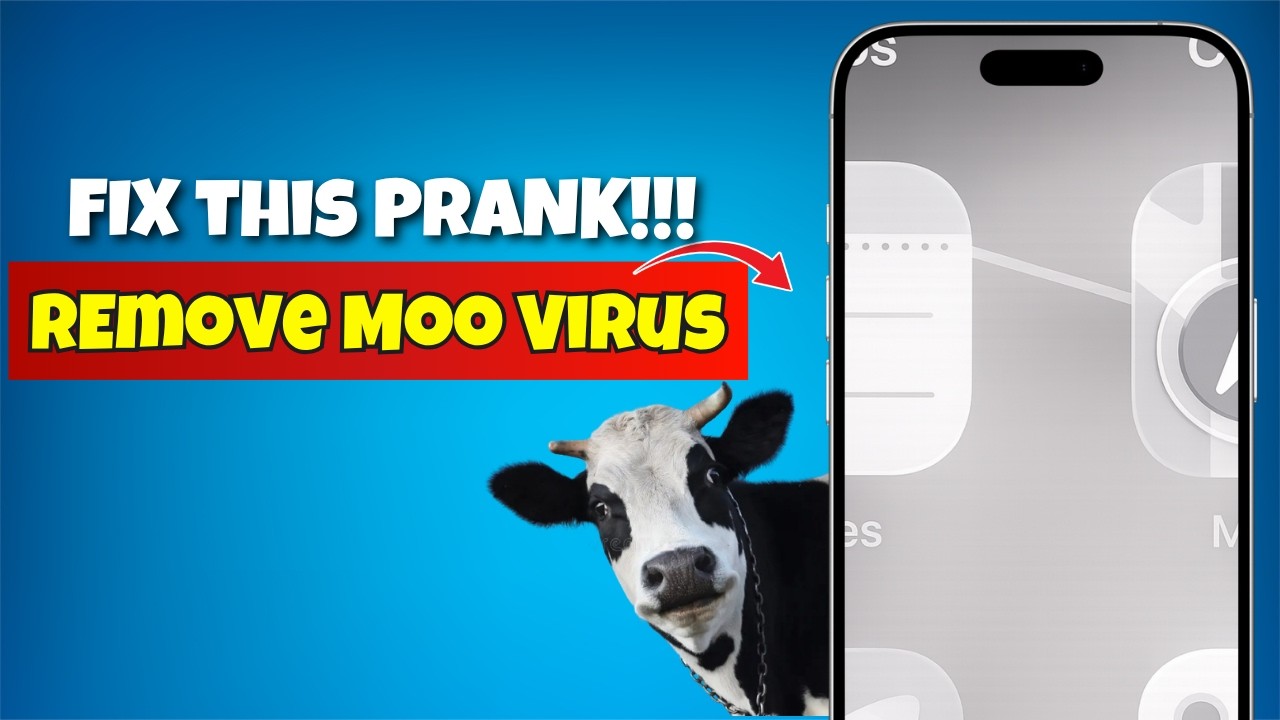
While fixing an iPhone shortcut takes thirty seconds, curing the digital "Moo Virus", where your social media feeds are completely consumed by pygmy hippo memes and barnyard audio tracks, demands a conscious reconfiguration of recommendation models. Because short-form algorithms prioritize total watch duration and replay frequency, lingering on just two or three consecutive joke clips trains the neural network to feed you dozens more.
If your TikTok For You Page has collapsed into an infinite scroll of animal edits, utilize the built-in system refresh tool:
1. Open your Profile tab in TikTok and tap the three-line menu icon in the upper right corner.
- Go to Settings and privacy > Content preferences.
- Select Refresh your For You feed.
- Tap Continue and confirm Refresh.
This action acts as a soft reset on your immediate behavior model without wiping your saved favorites, drafts, or chat history. To permanently lock down the feed, tap Filter video keywords within the same menu and add terms such as "Moo Deng", "pygmy hippo", and "moo prank".
For YouTube Shorts, the algorithmic fix requires scrubbing watch history. The platform’s recommendation pipeline leans disproportionately on recent viewing records. Open YouTube, tap You > History, hit the settings gear, and select Clear all watch history. Alternatively, when an animal clip surfaces on Shorts, tap the three dots in the bottom right corner and select Don't recommend this channel. Engaging this signal five to ten times systematically degrades the topic's weight in your profile.
Parasocial Internet Trends and Screen Time Fatigue
The velocity with which animal memes morph into device-hijacking pranks underscores the mechanics of modern platform addiction. Digital culture no longer stays confined to passive viewing screens; it regularly spills over into interpersonal trolling, automated scripts, and office disruptions. When users spend an average of 2.5 hours daily on short-form platforms, hyper-concentrated meme trends create severe digital fatigue.
Establishing digital hygiene requires auditing native screen time tools. Setting hard app limits, such as capping TikTok and YouTube Shorts to 45 minutes per day via iOS Screen Time or Android Digital Wellbeing, prevents the passive doomscrolling that trains recommendation engines to trap users in hyper-specific content ruts. Curation is an active discipline; ignoring poor recommendations without interacting is far more effective than rage-commenting, which algorithms register as positive engagement.
Frequently Asked Questions (FAQ)
Q1: Is the "Moo Virus" an actual piece of malware that can steal personal data or passwords?
A1: No. The phrase "Moo Virus" is colloquial social media slang describing an iOS Shortcuts automation prank or an algorithmically hijacked feed. It cannot extract banking credentials, read private messages, or compromise hardware security.
Q2: Why does my iPhone moo loudly even when the physical side switch is set to Silent Mode?
A2: Apple Shortcuts automations have native system permissions to adjust media playback volume independently of the ringer switch. If a prank automation specifies "Set Volume to 100%" before running the audio command, the media volume ignores the mute switch.
Q3: Will resetting my TikTok For You Page delete my saved videos or drafts?
A3: No. Refreshing the FYP solely recalculates your recommendation weights back to platform defaults. Your published videos, saved bookmarks, drafts, direct messages, and followed accounts remain completely untouched.
Reclaiming Control Over Devices and Attention Spans
The "Moo Virus" phenomenon highlights the bizarre, chaotic nature of modern internet culture, where an innocent celebration of a Thai zoo animal can instantly morph into a global smartphone prank and feed saturation headache. Fortunately, regaining full control over your hardware requires nothing more than inspecting your iOS automations and deleting unvetted scripts.
At the same time, keeping your digital feeds balanced demands active curation. Social platforms are engineered to interpret even momentary amusement as an invitation for total feed dominance. By regularly clearing watch caches, deploying keyword filters, and auditing background phone permissions, you can silence unwanted barnyard sound effects and ensure your devices serve your schedule, not the whims of viral meme mechanics.